
Rolling out Claude the right way: secure, customized and scalable
Seats are the easy part. Decide who can do what before the first invite goes out.
By the Skydog team··4 min read
Most Claude rollouts stall for the same reason: everyone gets access on day one, and nobody decided what they should be able to do with it.
Get four decisions right first: permissions, connectors, skills and artifacts. Each one supports three goals.
Secure
Right access, right people
Customized
Built around your workflows and data
Scalable
Access that follows your org chart
Pick the plan
Team and Enterprise both give you single sign-on and central control of skills and artifacts. Enterprise is what lets different teams get different access.
Permissions: groups + roles
On Enterprise, groups say who and roles say what. Attach roles to groups, and when someone changes teams in your identity provider, their Claude access changes with them.
- Most restrictive wins. A feature has to be on for the org and in the role.
- Map to work, not titles. Investor relations gets Cowork and the CRM; engineering gets Claude Code.
- Delegate admin carefully. Roles can grant billing without making someone an Owner.
- Back up first. Export your member list before switching roles over.
Connectors
Skills
Models
Connectors: what Claude can reach
Connectors to your CRM, Slack and Drive are where most of the value is, and most of the risk.
- Only what's needed. Turn connectors on per use case.
- Only who needs it. Grant them to specific groups.
- Same permissions. Confirm they respect the access people already have in the source system.
Set what Claude can do in each tool
Read, draft, update or create, per role.
- Read recordsAllowed
- Draft notes and emailsAllowed
- Update opportunitiesAsk first
- Delete recordsOff
No native connector? Skydog can build a custom MCP.
Skills: one approved way to work
Skills package how your company does a task, from a memo format to a CRM update, so everyone works the same approved way.
- Provision centrally. Owners push skills to everyone, or to specific groups on Enterprise.
- Start small. A few high-frequency workflows per team.
- Give each an owner. So it changes when the process does.
Without a skill
"What's in my pipeline?"
Claude asks which pipeline and guesses the format. A different summary every week.
With a skill
"What's in my pipeline?"
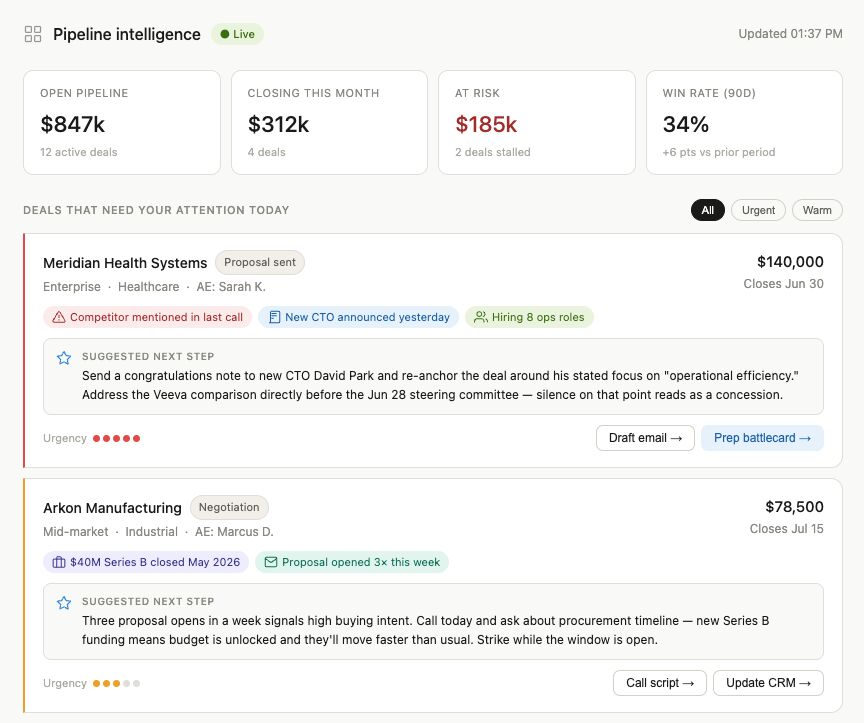
Open deals from Salesforce, your fields, stale deals flagged after 14 days. Same format every time.
/call-prep
Brief me on every attendee before an investor call.
- Sources
- CRM, email, calendar
- Output
- One-page brief
- Owner
- Investor relations
"The companies seeing the biggest ROI from AI aren't the ones giving everyone access. They're the ones capturing how their best people work and making that knowledge available to everyone."
Artifacts: where they can go
Artifacts are the docs, decks and small apps Claude creates. Set the sharing policy before people start making them.
- Private by default. They stay inside the org unless an Owner allows more.
- Share by group. On Enterprise, access follows group membership.
- Decide early. Turning artifacts off later breaks links already shared.
Revenue dashboard
$2.41M
Closed this quarter
Monday brief · 6:00 a.m.
Pipeline review
At risk
- Lakeside Foods · no activity in 19 days
- Orion Freight · close date slipped twice
This week
Send revised proposal to Tandem Health by Wednesday.
Ask your data
Which customers haven't heard from us in 30 days?
- Brightline Logistics41 days
- Harbor Dental Group36 days
- Meridian Apparel33 days
Decide the policy before the first invite. Changing it after people are working in Claude is much harder.
A sensible rollout order
- 1Set up single sign-on with a pilot group
- 2Choose provisioning: SCIM, just-in-time or invites
- 3Design groups and roles
- 4Turn on connectors per use case
- 5Provision skills and set the sharing policy
- 6Roll out team by team
FAQ
Common questions
Can different teams get different Claude features?
Yes, on Enterprise. Assign custom roles to groups, and each group gets only the features and connectors in its role.
Does the Team plan support groups and custom roles?
No. Groups, custom roles and SCIM sync are Enterprise features.
How do I give my whole team the same Claude skills?
An Owner provisions them in organization settings. Code execution must be on for skills to work.
Can people share Claude artifacts outside the company?
Only if an Owner allows it. Artifacts stay inside the organization by default.
How long does a Claude Cowork rollout take?
Typically 6 to 8 weeks, rolled out team by team.